component
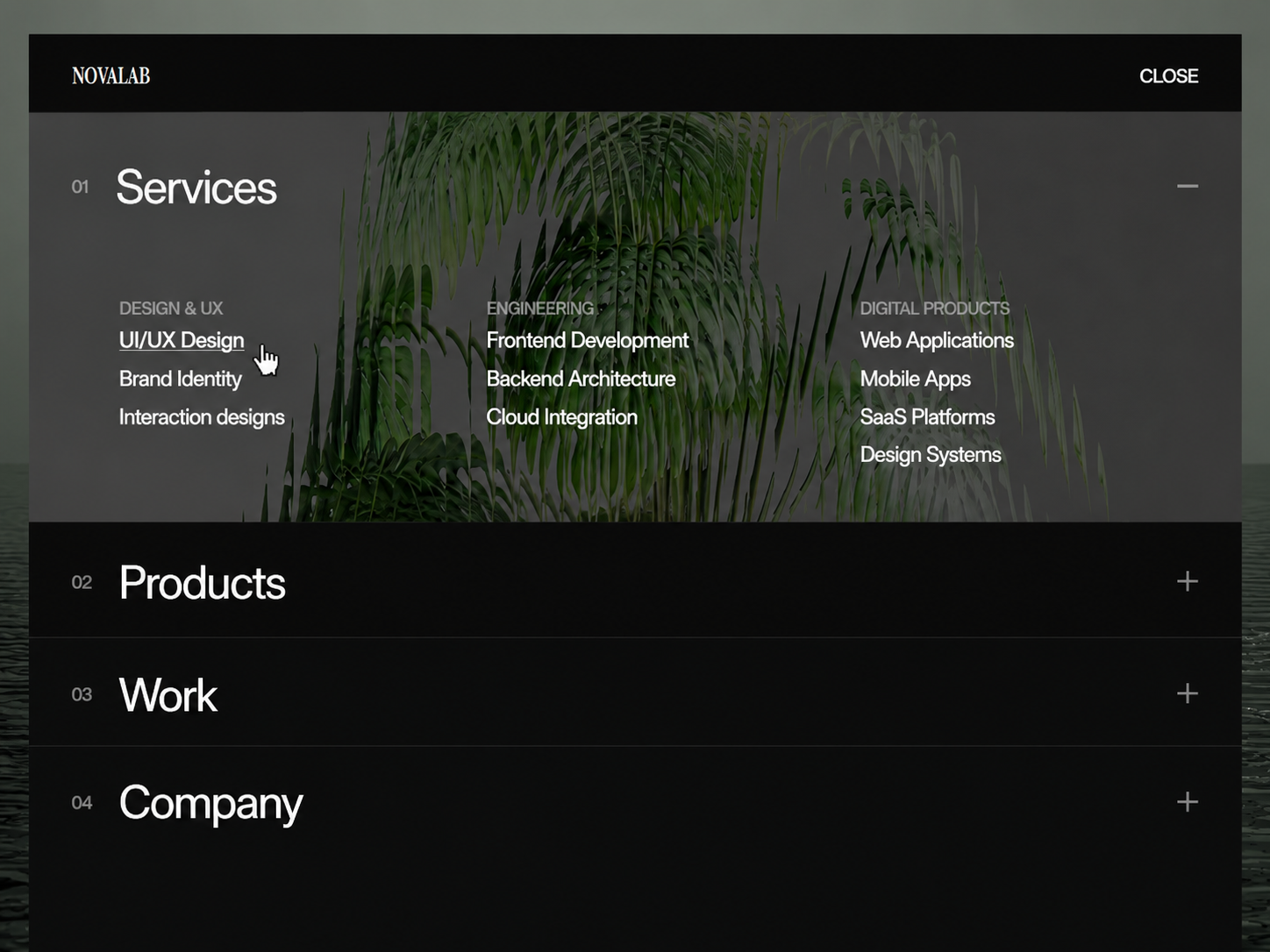
Accordion Mega Menu
By Saqlain Nasir
Details
- Saqlain NasirAuthor
- componentType
- $7.00Price
- 2026-09-03Published
- 2026-09-03Updated
- 2026-09-03Added
- NavigationCategories
Summary
Accordion Mega Menu A sleek, fully dynamic navigation component for modern Framer websites.
Description
Live Preview Grab more components for free A flexible Framer component for pairing detailed content with visuals in a compact, interactive layout. Visitors click each panel to reveal its description while a matching image or video updates on the other side — all while the rest of the list stays neatly collapsed. Use it for features, services, products, portfolios, processes, or any structured agency showcase. Accordion Mega Menu A sleek, fully dynamic navigation component for modern Framer websites. Designed for digital agencies, product studios, and tech brands, Accordion Mega Menu collapses high-density links into structured, interactive rows that expand into full-panel mega menus with custom imagery. Key Features Item-Level Column Management: Manage link columns directly inside each menu item — no cross-referencing arrays or external indexes required. Smart Column Field Slots: Input up to four flat Name and URL slots per column with single-toggle Open in New Tab settings. Responsive Multi-Column Layout: Top-aligned link grids automatically adapt, space, and wrap across desktop, tablet, and mobile breakpoints. Full-Height Motion Animations: Smooth height expansion transitions powered by Framer Motion, featuring background image overlays, dimmed resting rows, and micro-interactions. Modular Control Panel: Clean, organized property inspector with dedicated sections for Logo, Typography, Layout, Bar, Menu Button, Rows, Colors, Footer, and Motion. How to Use Add to Canvas: Drag and drop the Accordion Mega Menu component onto your page canvas. Choose Position: Set Layout Position to Fixed to Page for top-of-page browser headers, or Relative to embed inside any frame or layer. Configure Menu Items: Add your main menu titles, set optional background images, and create up to 6 custom link columns per item. Style & Brand: Adjust typography, bar heights, colors, and paddings directly in the Framer properties panel to match your brand style.
Introduction
Full-Panel Navigation
Rank history
Daily rank per list, from the first snapshot — lower is better.
- All · #1652