component
Arc Card Carousel
By Vishal AN
Details
- Vishal ANAuthor
- componentType
- 2026-07-21Published
- 2026-08-05Updated
- 2026-07-21Added
- CarouselsCategories
Summary
Draggable Card Wheel
Description
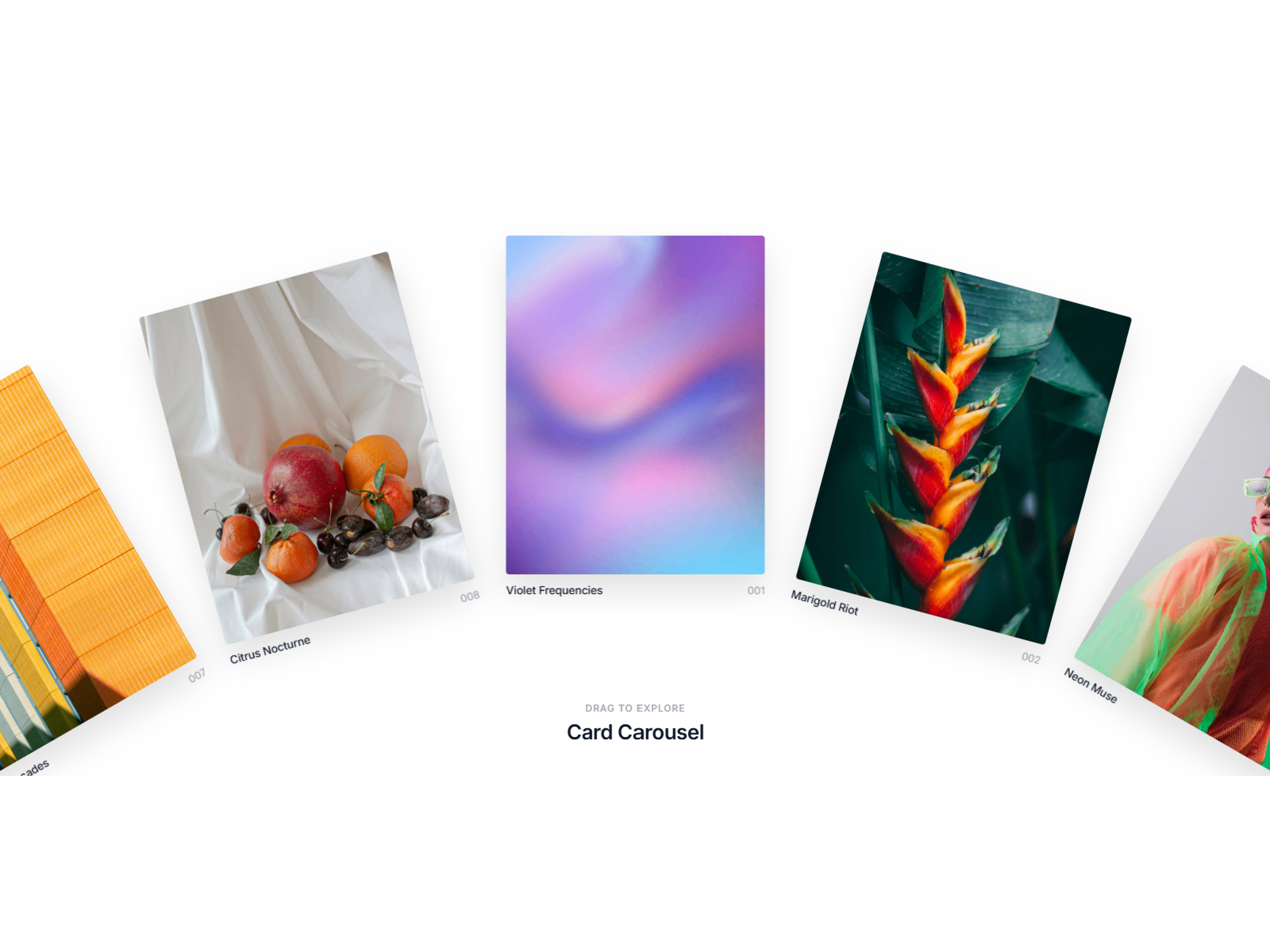
Description Arc Carousel turns your images into an elegant, draggable fan of cards. Grab anywhere and drag left or right — the wheel follows your cursor 1:1, then snaps onto the next card when you let go. As you drag, every card tilts in 3D (one way pulling right, the other pulling left) and rotates along the arc so the row reads as one smooth curve. Animated with GSAP for fluid motion, it loops a full 360° with no dead ends. Great for portfolios, galleries, product showcases, and hero sections. Features • Free drag with snap-to-card on release• Infinite, seamless 360° loop • Direction-aware 3D tilt while dragging• GSAP-powered, buttery-smooth motion • Auto tangent arc layout with per-card image, title & index number • Customizable radius, spacing, card size, tilt, drag speed, colors & fonts How to use Drop the component onto a generous full-width frame. Open the Cards property and set an Image + Title for each card (numbers auto-generate). Shape the arc with Radius (higher = flatter), Card Spacing, and Card Width/Height. Tune motion with Drag Speed and 3D Tilt (0 = off, 20 = default). Style Background, Text/Muted colors, Eyebrow & Heading text, and fonts. Click Preview to drag, fling, and feel the snap + tilt (the canvas shows a static arc). Tip: fewer large cards + big radius = a soft shallow fan; more cards + tighter spacing = a fuller wheel.
Introduction
Draggable Card Wheel
Rank history
Daily rank per list, from the first snapshot — lower is better.
- All · #204