component
Data Table Pro
By Isaac Yi
Details
- Isaac YiAuthor
- componentType
- $15.00Price
- 2026-07-08Published
- 2026-07-08Updated
- 2026-07-08Added
- TextCategories
Summary
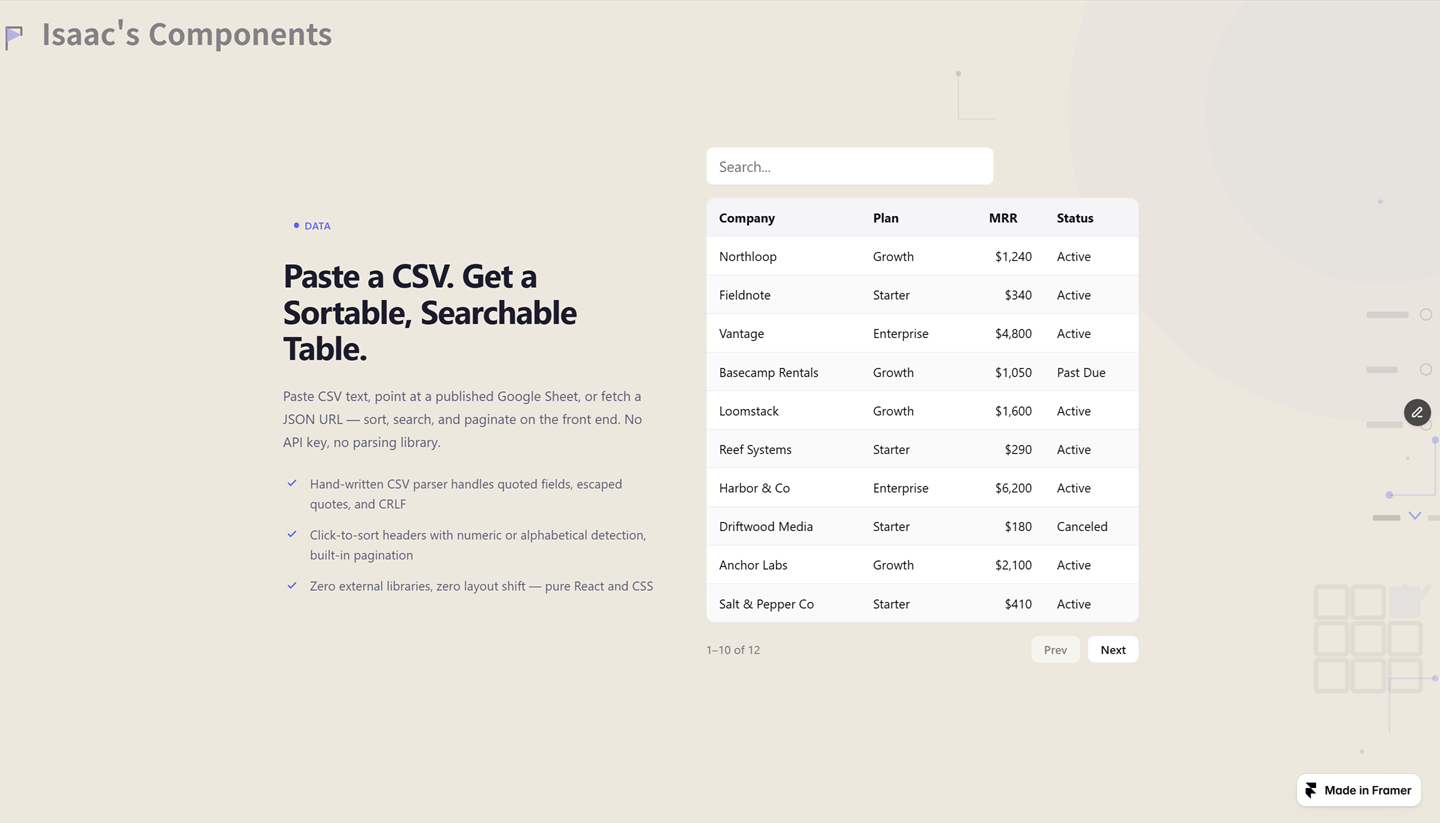
Data Table Pro takes data three ways — paste raw CSV, point at a published Google Sheet, or fetch a JSON array — and turns it into a sortable, searchable, paginated table.
Description
Most Framer data tables need either a live API connection or a plugin subscription just to show a sortable list. If your data is just sitting in a spreadsheet or a CSV export, that's a lot of setup for something that should take seconds. Data Table Pro takes data three ways — paste raw CSV, point at a published Google Sheet, or fetch a JSON array — and turns it into a sortable, searchable, paginated table. No API key, no external library, no monthly plugin fee. What you get: — Three data sources: paste CSV directly, a published Google Sheet CSV URL, or a JSON array URL — Hand-written CSV parser that handles quoted fields, escaped quotes, CRLF/LF line endings, and ragged rows — Click-to-sort headers with automatic numeric detection (handles "$1,234" and "98%"), cycling asc → desc → none — Global search across every cell, resets to page one automatically — Pagination with a configurable page size, loading/error/empty states built in — Horizontal-scroll-safe layout — never breaks your page width, even with wide tables Built for SaaS dashboards, internal tools, and marketing sites that need to show real tabular data — pricing tiers, customer lists, comparison sheets — without wiring up a backend.
Introduction
CSV, Sheets, JSON. Sort & search.
Rank history
Daily rank per list, from the first snapshot — lower is better.
- All · #7085