component
Docs Kit
By Isaac Yi
Details
- Isaac YiAuthor
- componentType
- $20.00Price
- 2026-07-16Published
- 2026-07-16Updated
- 2026-07-16Added
- NavigationCategories
Summary
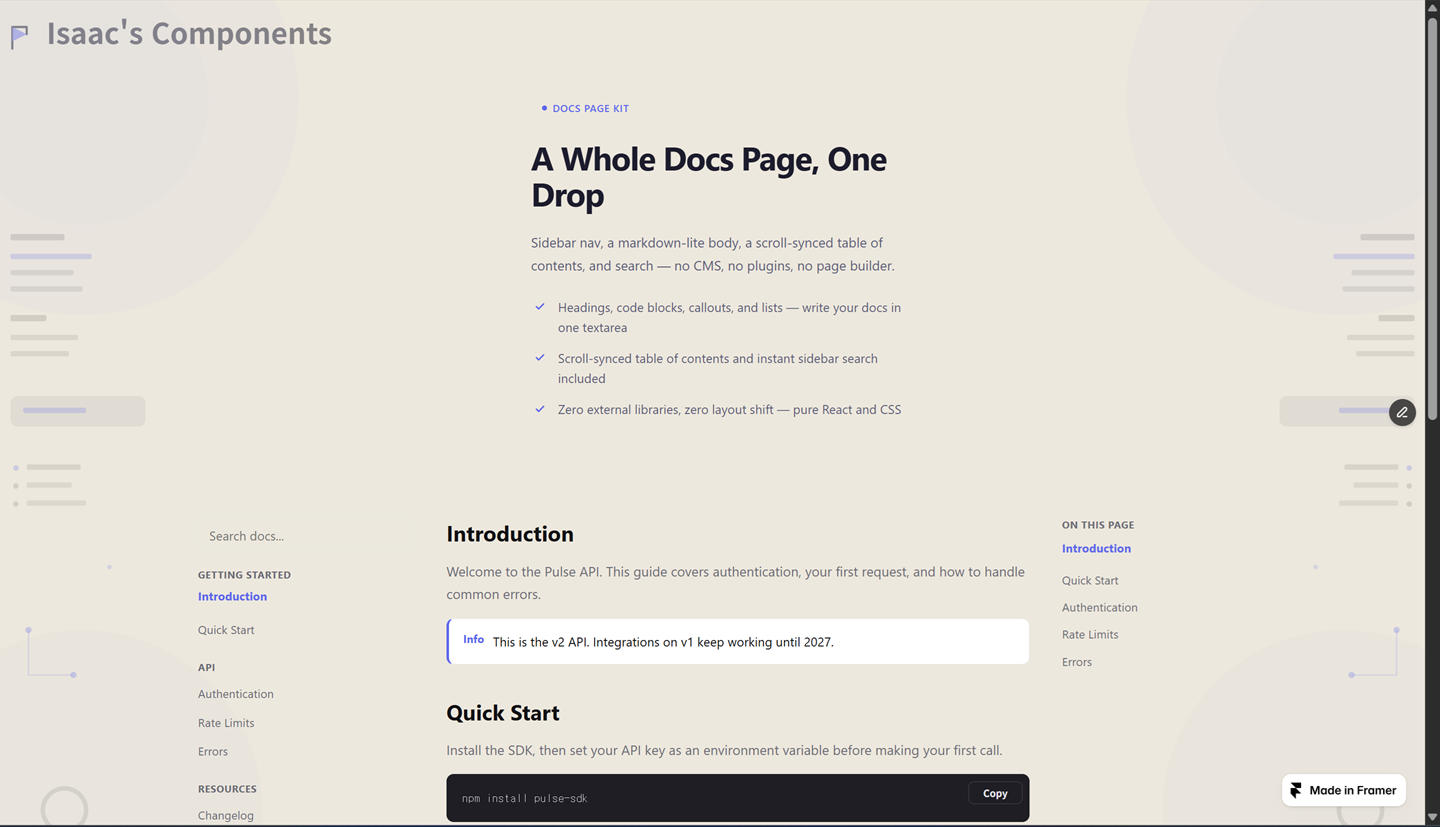
Docs Kit is that whole page in one drop: a 3-column layout — sidebar navigation, a markdown-lite body, and a scroll-synced table of contents — written entirely from two…
Description
Table-of-contents components are everywhere on the marketplace — but a whole docs page (sidebar nav, a real body, a scroll-synced TOC, and search) usually means a CMS collection, a page builder, or a $40+ stack of separate plugins wired together. Docs Kit is that whole page in one drop: a 3-column layout — sidebar navigation, a markdown-lite body, and a scroll-synced table of contents — written entirely from two property-panel textareas. No CMS collection to set up, no separate TOC/sidebar/search plugins to wire together. What you get: — A markdown-lite body with five supported blocks — headings, paragraphs, code fences with a copy button, three callout styles (info/warn/tip), and bullet lists — parsed live from a single textarea — A scroll-synced table of contents that highlights the current section as visitors scroll, built automatically from your headings — An instant sidebar search across your nav items and headings, with a clean empty state — Responsive by design: the TOC hides under 1024px, and the sidebar collapses into a mobile drawer under 768px — Light/dark theme, single accent color, cross-fade transitions on every state change Built for SaaS help centers, API references, and product documentation pages that need the real thing — sidebar, body, TOC, and search — without standing up a CMS collection or stitching together several separate plugins.
Introduction
A whole docs page. No CMS.
Rank history
Daily rank per list, from the first snapshot — lower is better.
- All · #7835