Lera
3DCurvedImageMarquee
$4Curved perspective double ticker
Searching…
Velocity-tilt row gallery, drag it
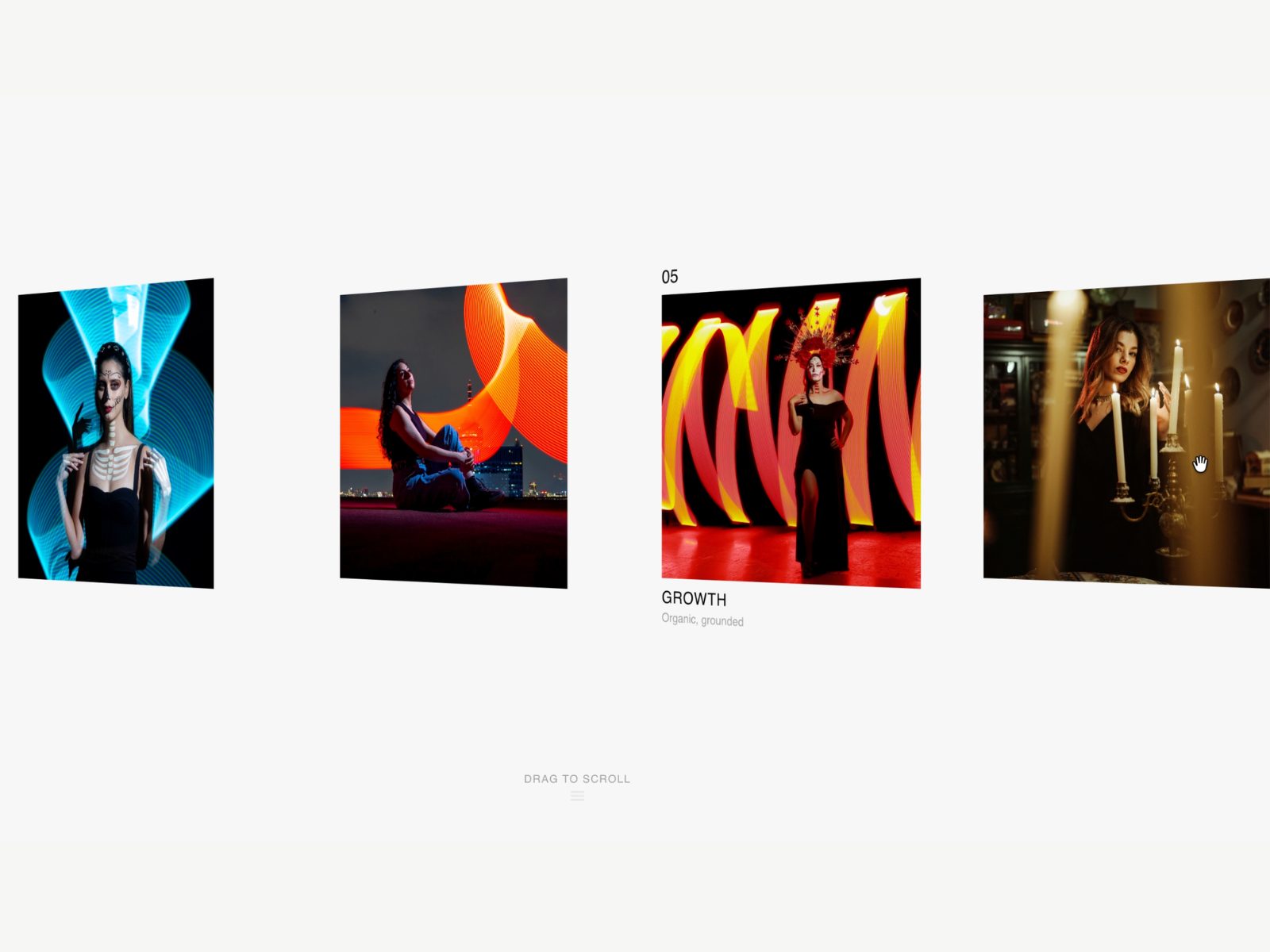
DriftRow is an infinite horizontal card gallery for Framer where every card tilts in 3D based on how fast you're dragging or scrolling, with a masked title and caption reveal on…
DriftRow is an infinite horizontal card gallery for Framer where every card tilts in 3D based on how fast you're dragging or scrolling, with a masked title and caption reveal on hover, not a multi-column grid, a single flowing row.
Drag the strip, scroll the wheel in either direction, or let it drift on autoplay. The faster you move it, the more each card tilts on its Y-axis, easing back flat the moment it settles, a physical response to momentum rather than a fixed hover tilt.
Add slides, each with an image, title, and caption. The row loops infinitely with true perspective and depth. Velocity from your drag or scroll drives a live 3D tilt across every visible card, and hovering any card reveals its title and caption with a masked slide-up animation.
Velocity-driven 3D tilt, responds to actual drag/scroll speed
True infinite loop with real CSS 3D perspective
Masked slide-up caption reveal on hover, not a flat fade
Works with wheel, trackpad, and pointer drag, horizontal or vertical
Optional auto-scroll with adjustable speed and direction
Adjustable perspective depth, max tilt, drag sensitivity
Automatic reduced-motion fallback disables tilt and drift entirely
Animated scroll hint for first-time visitors
Static-safe rendering for the Framer canvas and thumbnails
Zero third-party dependencies beyond Framer Motion
Most 3D tilt galleries use a fixed hover tilt or a multi-column grid. DriftRow ties the tilt to real momentum in a single flowing row, so the motion feels physical instead of decorative, with real captions attached.
Photography strips, brand mood galleries, agency work showcases, and any Framer site that wants a tactile single-row 3D gallery instead of a grid.
A single drop-in component. Add slides with image, title, and caption, then tune tilt, perspective, and drag speed through property controls.
Drop it in, load your slides, and let momentum do the tilting.