component
FanGallery
By Hamim Reza
Details
- Hamim RezaAuthor
- componentType
- $10.00Price
- 2026-08-31Published
- 2026-08-31Updated
- 2026-08-31Added
- GalleriesCategories
Summary
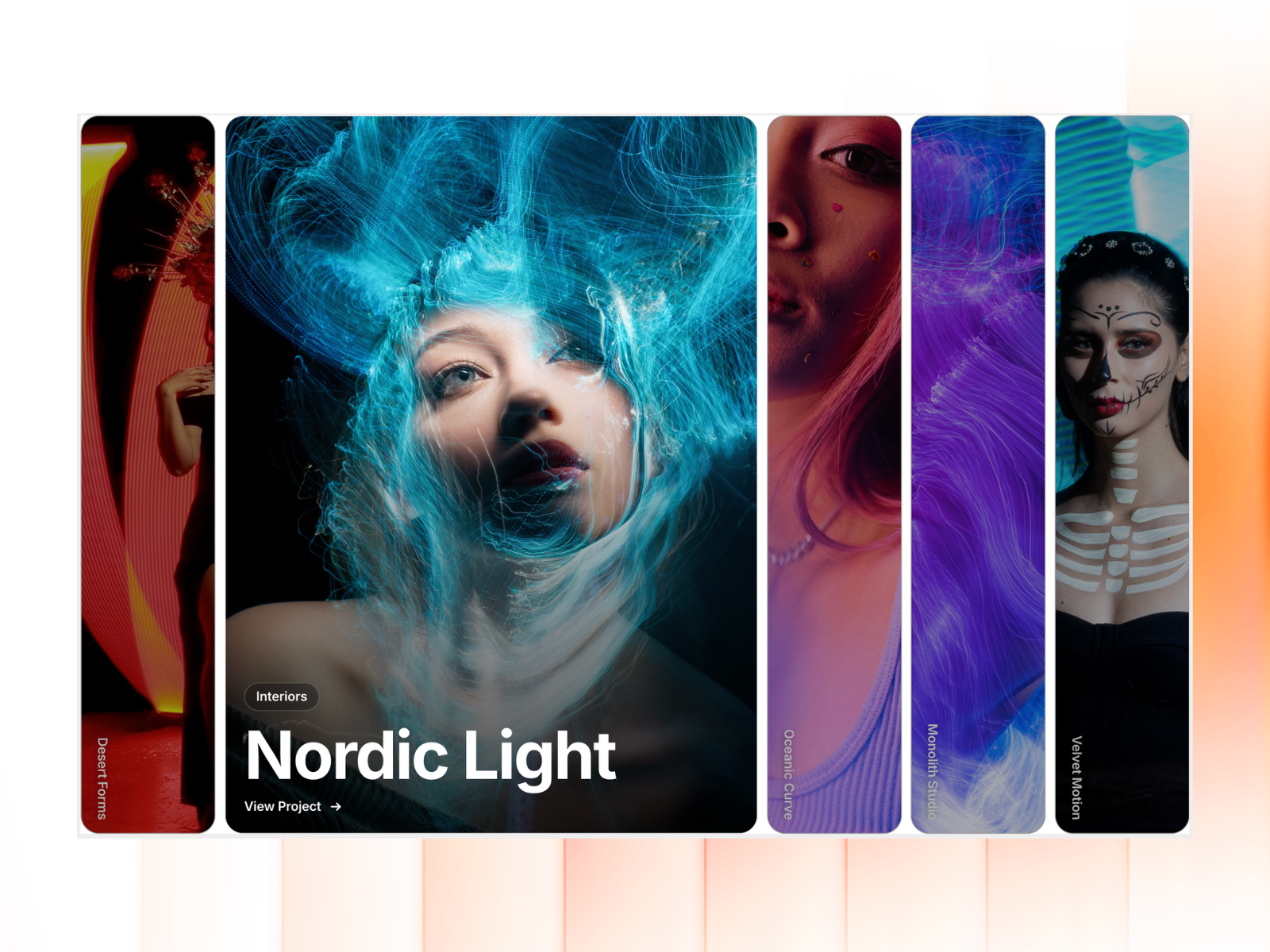
FanGallery is a fanning panel gallery for Framer, vertical image columns that grow wider on hover or click while their neighbors compress, like a hand of cards or a window blind…
Description
FanGallery is a fanning panel gallery for Framer, vertical image columns that grow wider on hover or click while their neighbors compress, like a hand of cards or a window blind opening, not a simple hover-enlarge. Each panel carries a category badge, project title, and outbound link, so the gallery works as a real project showcase, not just a visual toy. On narrow screens, inactive panels switch to a compact numbered mode automatically. WHAT IT DOES Add up to 8 items, each with an image, title, category, and link. Visitors hover, click, or focus any panel to expand it, the panel widens, a gradient overlay shows a category badge, title, and "View Project" link, while others compress and dim. On narrow containers, inactive panels collapse to a centered ID number. KEY FEATURES Fanning panel layout, panels grow in width, not a flat hover-enlarge Category badge, title, and outbound link on the active panel Resize-aware narrow mode, rotated labels switch to numbered IDs Adjustable inactive dimming for clear focus Spring-based expand physics, tactile and elastic Full typography and color controls, title, meta, badge Graceful image fallback if a source fails Keyboard accessible, Enter and Space trigger activation Static-safe rendering for the Framer canvas and thumbnails Zero third-party dependencies beyond Framer Motion WHY IT WORKS Most accordion galleries just enlarge the hovered image. FanGallery treats each panel as a real project entry, badge, title, and link included, so it functions as a portfolio piece, not a decorative hover toy. PERFECT FOR Architecture and design portfolios, agency project showcases, photography collections, and any Framer site presenting a handful of projects that deserve attention. WHAT'S INCLUDED A single drop-in component. Add up to 8 items with image, title, category, and link, then tune colors, typography, and dimming through property controls. Drop it in, load your projects, and let the panels do the fanning.
Introduction
Fanning panel gallery for Framer
Rank history
Daily rank per list, from the first snapshot — lower is better.
- All · #2456