component
Inverted Corner
By Justyna Dabrowska
Details
- Justyna DabrowskaAuthor
- componentType
- 2026-06-05Published
- 2026-06-05Updated
- 2026-06-05Added
- BackgroundsCategories
Summary
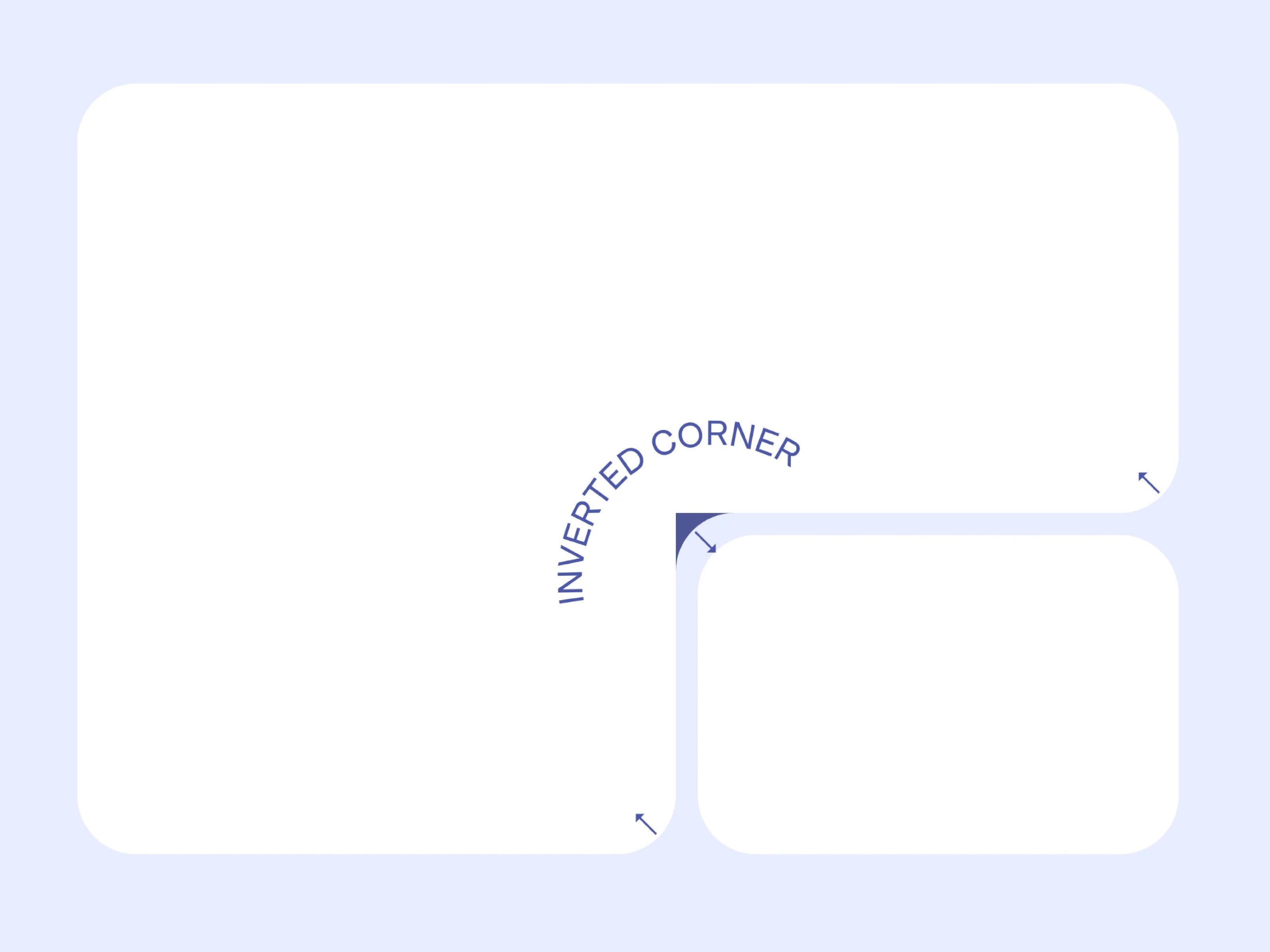
Inverted Corner component creates a concave corner notch that sits flush against any rounded element.
Description
Inverted Corner component creates a concave corner notch that sits flush against any rounded element. Position it absolutely at the card corner, set the radius to match, and pick the fill color. That's it. Props Radius. Match your card's border-radius Corner. Which corner the notch cuts into Fill. Must match the background color behind the card, not the card itself Padding. Adds space around the notch on any or all sides, useful when you need the shape to extend slightly beyond the corner Setup Set position to Absolute Place at the exact corner of your card Match Radius and Fill Stack it above the card in the layer order See it in action - remix the example file Do Use on solid color backgrounds Use one instance per corner Don't Place it on a gradient or image background Set Fill to the card color instead of the background color
Introduction
Seamless concave corners
Rank history
Daily rank per list, from the first snapshot — lower is better.
- All · #1564