component
Island Navbar
By Daniel Moreno
Details
- Daniel MorenoAuthor
- componentType
- 2026-07-21Published
- 2026-07-21Updated
- 2026-07-21Added
- NavigationCategories
Summary
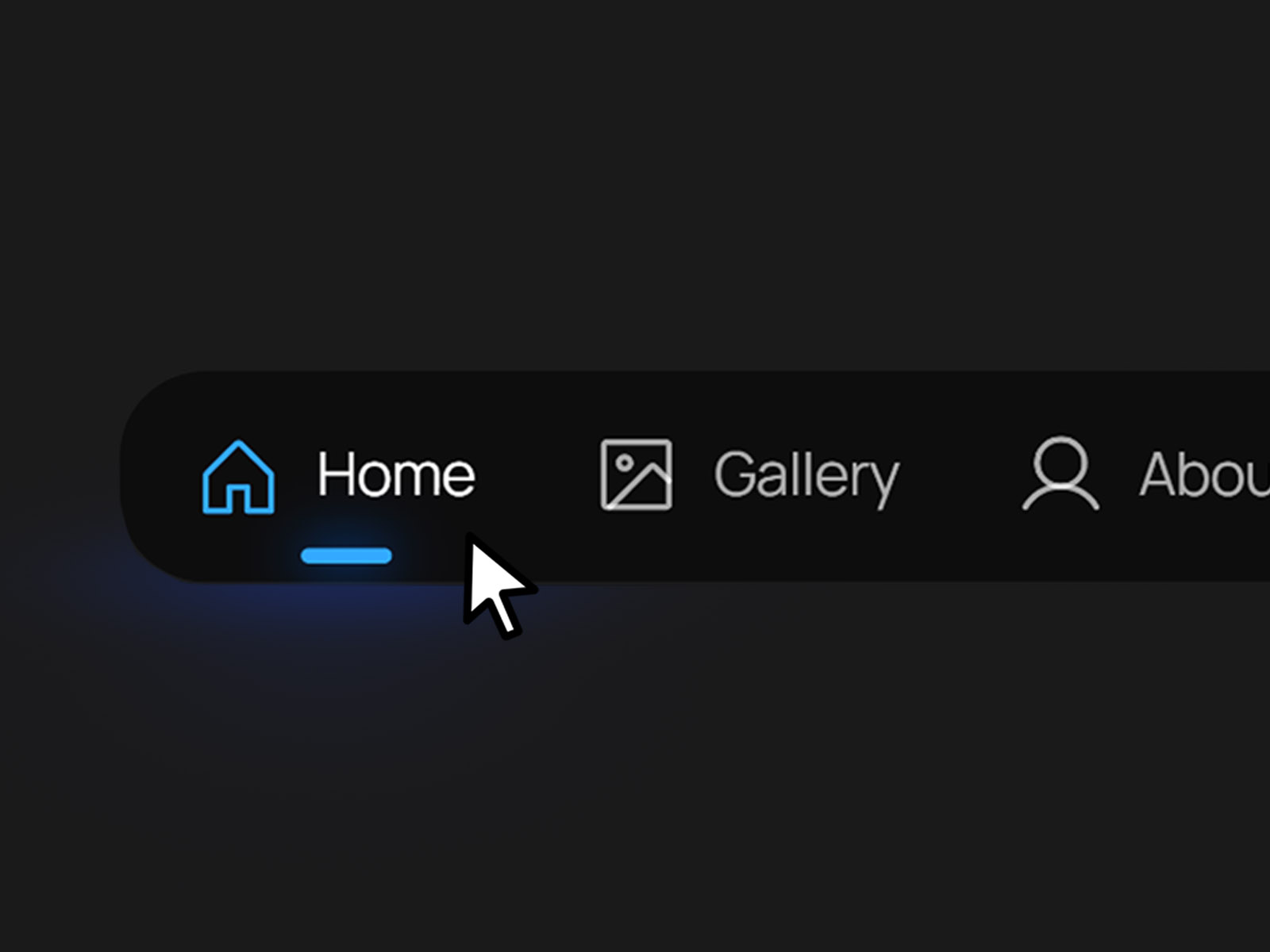
Island Navbar is a floating, app-inspired navigation component designed for creators and portfolio sites that want a distinctive, mobile-native feel.
Description
Island Navbar is a floating, app-inspired navigation component designed for creators and portfolio sites that want a distinctive, mobile-native feel. Inspired by the compact nav bars found in mobile apps, it condenses your site's navigation into a sleek floating capsule that can be placed at the top or bottom of the page. With toggleable icons and text, animated hover states, and a signature dashed border animation, it brings a tactile, polished touch to any creative site. Key Features Flexible Display: Independently show or hide icons and text to match your site's style. Animated Hover State: Links transition to a lighter accent color on hover, paired with an animated dashed border around the button. Active State Indicator: A clear accent-colored icon and underline mark the current page or section. Properties Content Number of Links: Choose how many nav items to display (up to 5). Show Icon / Show Text: Toggle icon and text visibility independently. Icon 1–5, Title 1–5, Link 1–5: Set the icon, label, and destination for each nav item. Color Properties BG Color: The background color of the navbar capsule. Border Color: The color of the navbar's outer border. Hover Color: The accent color links transition to on hover. Inactive Text / Active Text: Colors for unselected and selected link text. Accent Color: The color of the active link's icon and underline indicator. Glow Accent: The glow color applied around the active link. Best Practices Balance Icons and Text: For minimal sites, try icons only; for clarity on larger screens, keep both enabled. Match Your Palette: Adjust the Accent and Glow colors to align with your site's branding for a cohesive look. Keep Titles Short: Concise labels (1–2 words) work best to preserve the compact, floating aesthetic. Support & Assistance If you have any questions, need help using the component, or encounter any issues, you can reach out to me at danielgrafix12@gmail.com . I'll get back to you as soon as possible.
Introduction
Floating Navbar for creative sites
Rank history
Daily rank per list, from the first snapshot — lower is better.
- All · #425