component
SaaS Comparison Tabl
By Teddesign
Details
- TeddesignAuthor
- componentType
- 2026-07-10Published
- 2026-08-19Updated
- 2026-07-10Added
- TextCategories
Summary
Fully Customizable Pricing Table
Description
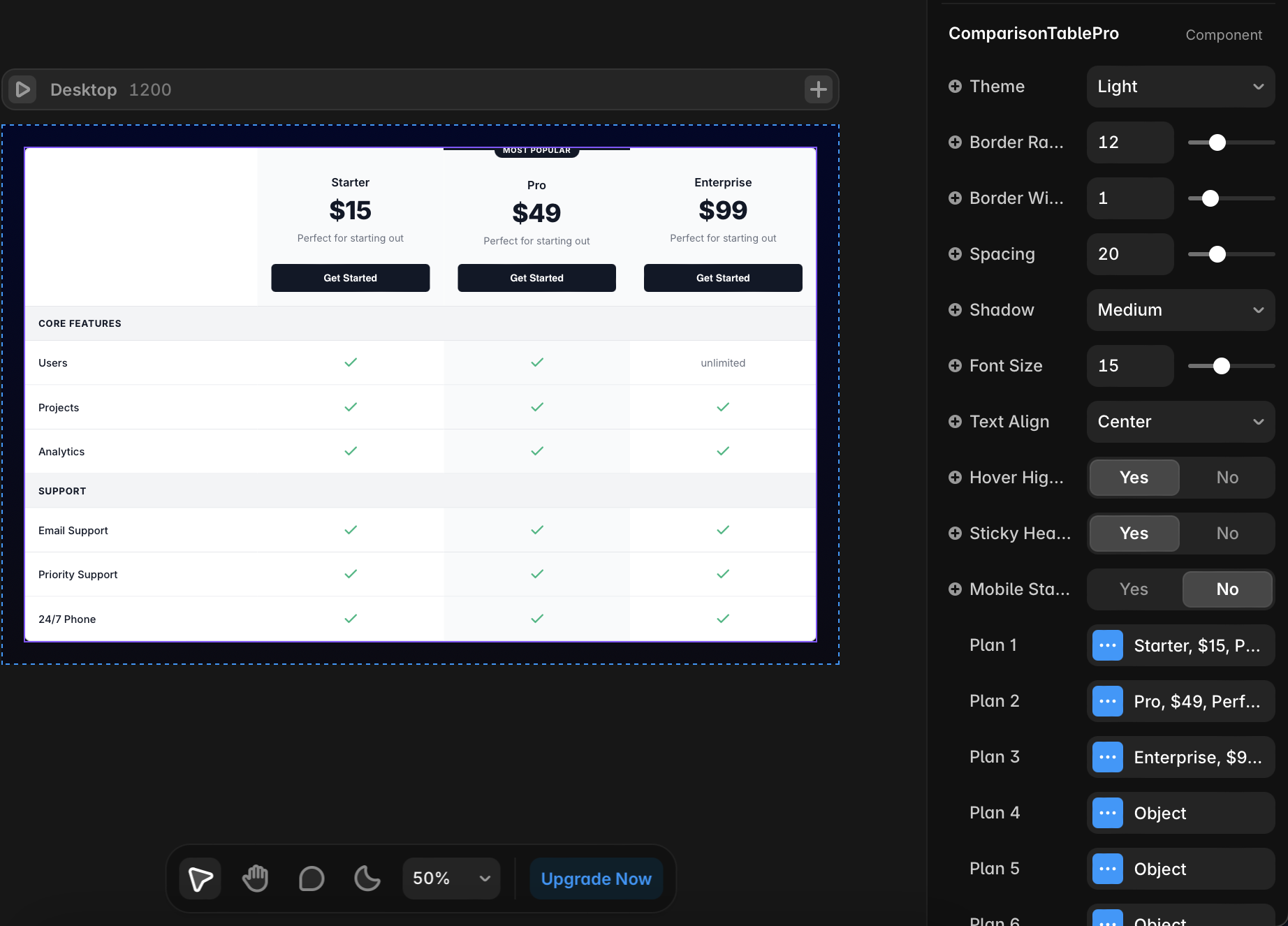
Boost your Framer website conversions with a premium SaaS pricing table designed for modern digital products. This fully responsive and highly flexible component features advanced hover interactions, a Mobile Stack layout system, and an intuitive property panel that makes customization effortless — no coding required. 🛠 Getting Started Drag and drop the ComparisonTablePro component onto your Framer Canvas. Set the component width to Fill to ensure it automatically adapts to different screen sizes. Select the component to open the customization options in the right properties panel. 📦 Managing Plans In the Plans section, you can add, duplicate, or remove pricing plans with ease. To highlight your best-selling plan, open the plan settings, enable Highlight (Featured) , and add your preferred label in Badge Text (for example: “Most Popular”). 📋 Managing Features (Rows) In the Features (Rows) section, you can add unlimited feature rows. Enable Is Category? when you want to create a section divider or category label (for example: “Core Features”). For standard feature rows, open the Plan Values folder and enter the corresponding values for each plan. 🔥 Pro Tip: Type check , true , or yes to automatically display a green check icon. Type cross , false , or no to automatically display a cross icon. 🎨 Customizing Colors Change the Theme option to Custom to unlock advanced color controls. You can customize colors independently for: List Table BG — Background color for standard feature rows Plan Header BG — Background color for the pricing plan header area Highlight BG — Special background color for featured/highlighted plans
Introduction
Fully Customizable Pricing Table
Rank history
Daily rank per list, from the first snapshot — lower is better.
- All · #3524