Sarthak Prakash
Velvet Curtain
$12Cinematic curtain reveal effect
Searching…
Custom Scrollbar for Containers
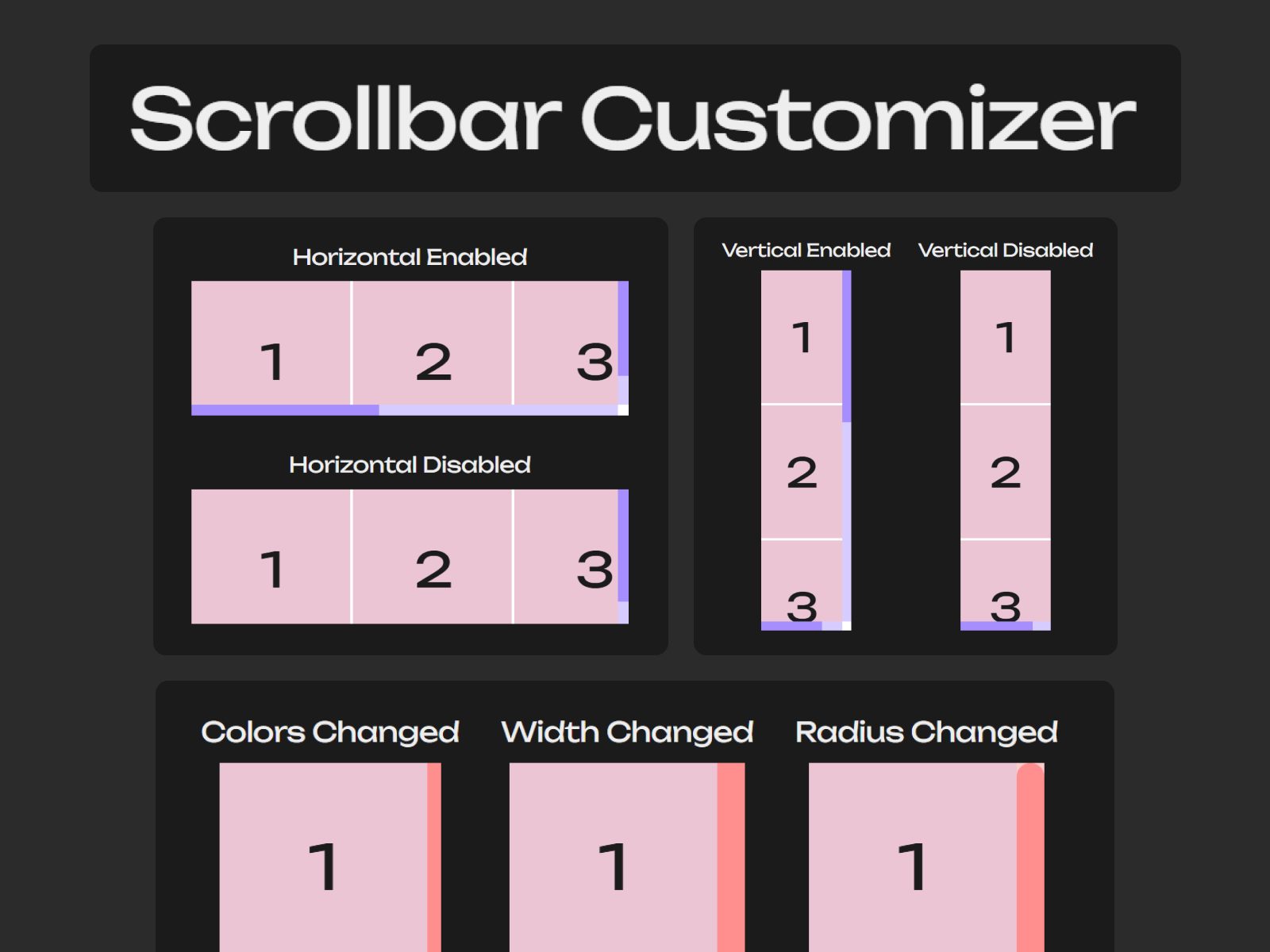
Features Custom scrollbar width Custom track and thumb colors Custom thumb hover color Custom thumb border radius Show or hide scrollbars Enable or disable horizontal scrolling…
Customize the appearance and behavior of scrollable containers. Adjust the scrollbar width, colors, border radius, visibility, and scroll settings to match your design.
Custom scrollbar width
Custom track and thumb colors
Custom thumb hover color
Custom thumb border radius
Show or hide scrollbars
Enable or disable horizontal scrolling
Enable or disable vertical scrolling
Support for multiple independently styled scrollable containers on the same page
Add the Scrollbar Customizer component to your page.
Enter a unique Custom Class Name in the component settings.
Apply the matching class name override to the scrollable container you want to customize.
Adjust the scrollbar settings to match your design.
To style multiple scrollable containers differently, add additional Scrollbar Customizer components and assign a different class name to each one.
This component uses class names to target scrollable containers. To get the code override used to apply a custom class name to a container, simply remix the Scrollbar Customizer Demo Project.
Demo Project Remix Link: https://framer.link/KP0XH17
The demo project also includes a Page Scrollbar Customizer component. It customizes the browser's page scrollbar using global CSS. Because of this, it is not suitable for publication to the Framer Marketplace under the current review guidelines. By using that component, you acknowledge that it applies global CSS to the page.
Container scrollbar customization requires a matching class name applied through the provided code override.
The target container must have scrolling enabled for the scrollbar to appear.
Scrollbar styling support may vary between browsers.