component
Scrolling Timeline
By pankake
Details
- pankakeAuthor
- componentType
- $8.00Price
- 2026-09-06Published
- 2026-09-06Updated
- 2026-09-06Added
- SectionsCategories
Summary
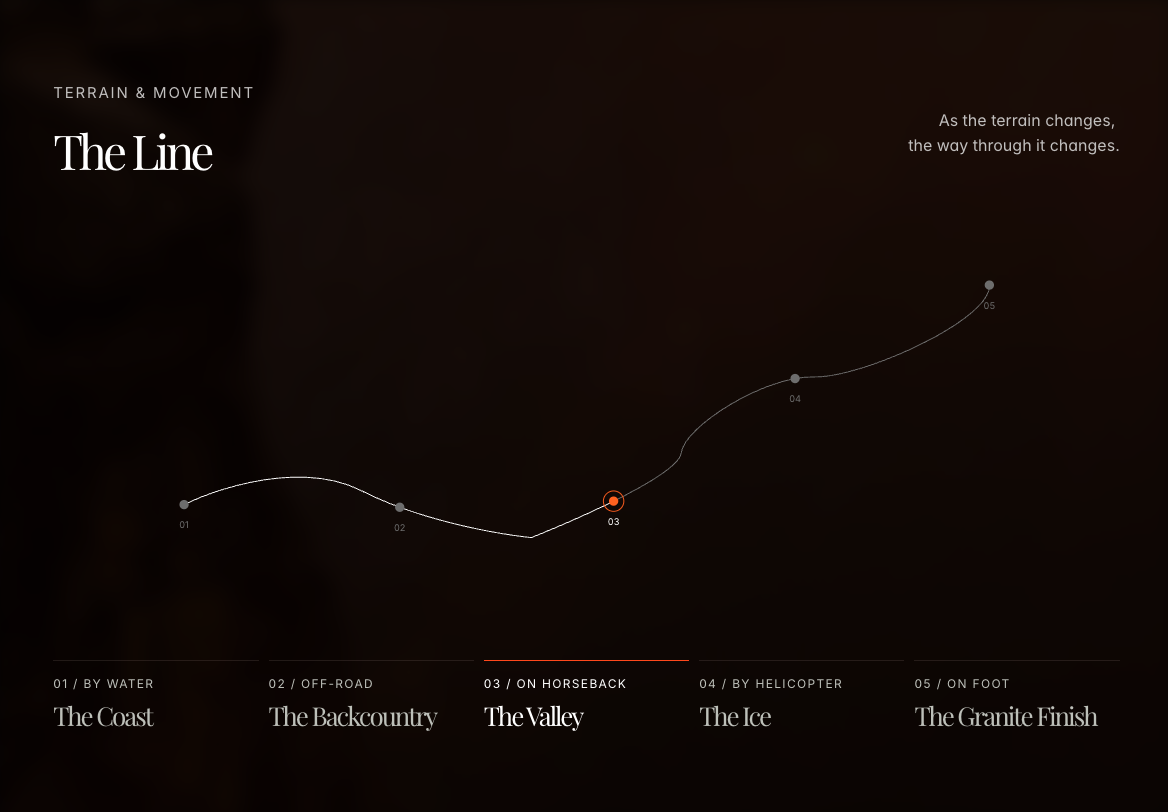
A timeline drawn as you scroll
Description
A responsive Framer component that draws a timeline along a custom SVG path while scrolling. Features Highlights the active event and matching button. Supports scrolling and button navigation. Snaps smoothly forward or backward. Works with mouse, trackpad, touchscreen, and keyboard. Customizable through Framer’s property panel. Setup Create and arrange the timeline sections manually in Framer. Set the number of events, scroll start position, and corresponding section numbers in the component properties. Customization Customize the SVG path, font, colors, circle size, stroke, highlight speed, and snapping behavior. Copy a single SVG path from Figma or another vector tool and paste it into the SVG Path field. Notes Keep the event count, buttons, and Framer sections aligned. Ensure the page is tall enough to reach the final event.
Introduction
A timeline drawn as you scroll
Rank history
Daily rank per list, from the first snapshot — lower is better.
- All · #2151