component
SoftBounce
By knokknokD
Details
- knokknokDAuthor
- componentType
- $3.00Price
- 2026-06-23Published
- 2026-07-01Updated
- 2026-06-23Added
- ButtonsCategories
Summary
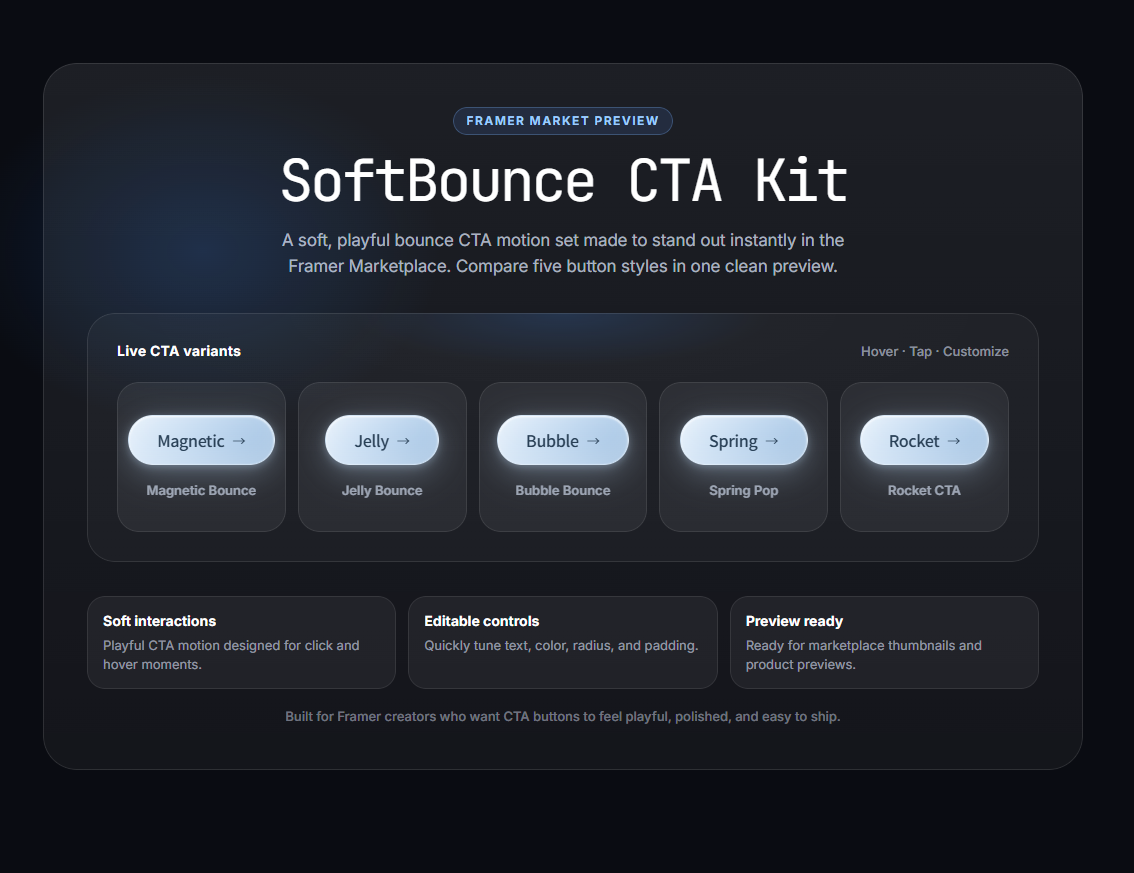
SoftBounce is an animated glass-style CTA button kit for Framer.
Description
SoftBounce SoftBounce is an animated glass-style CTA button kit for Framer. It is designed to make simple call-to-action buttons feel more tactile, playful, and premium without adding unnecessary visual clutter. This component includes 5 polished motion styles in one clean Framer component, making it easy to add interactive CTA moments to landing pages, portfolio sites, startup pages, product pages, and hero sections. What’s Included Jelly Bounce Magnetic Bounce Bubble Bounce Spring Pop Rocket CTA Each motion style is designed to feel smooth, responsive, and lightweight. You can switch between variants directly from the Framer editor using property controls. Key Features 5 animated CTA button styles Modern glass-style visual system Smooth physics-based motion Customizable text and link Built-in icon options Adjustable icon position Customizable colors Radius and padding controls Responsive layout Canvas performance mode No code editing required Perfect For SoftBounce works well for: Landing pages SaaS websites Product launches Portfolio websites Agency websites Hero sections Pricing pages Newsletter CTAs Easy Customization You can customize the button directly inside the Framer editor. Available controls include: Button text Link URL Icon Icon position Motion variant Fill style Hue Text color Radius Padding Hide on mobile Canvas performance mode About This Component This is a Framer code component, built with code and designed to be customized without editing code. You can adjust the text, colors, motion style, icon, radius, padding, and other options directly from the Framer editor using property controls. To keep the component stable and easy to update, unlinking is not supported. The original source code cannot be viewed or edited. When an update button appears next to the component, it means a newer version is available. Apply the update to keep the component running with the latest improvements and best performance. Terms of Service Privacy Policy Refund Policy
Introduction
Animated glass CTA buttons
Rank history
Daily rank per list, from the first snapshot — lower is better.
- All · #7246