component
Tier - Pricing table
By Julian
Details
- JulianAuthor
- componentType
- $10.00Price
- 2026-07-06Published
- 2026-07-06Updated
- 2026-07-06Added
- TextCategories
Summary
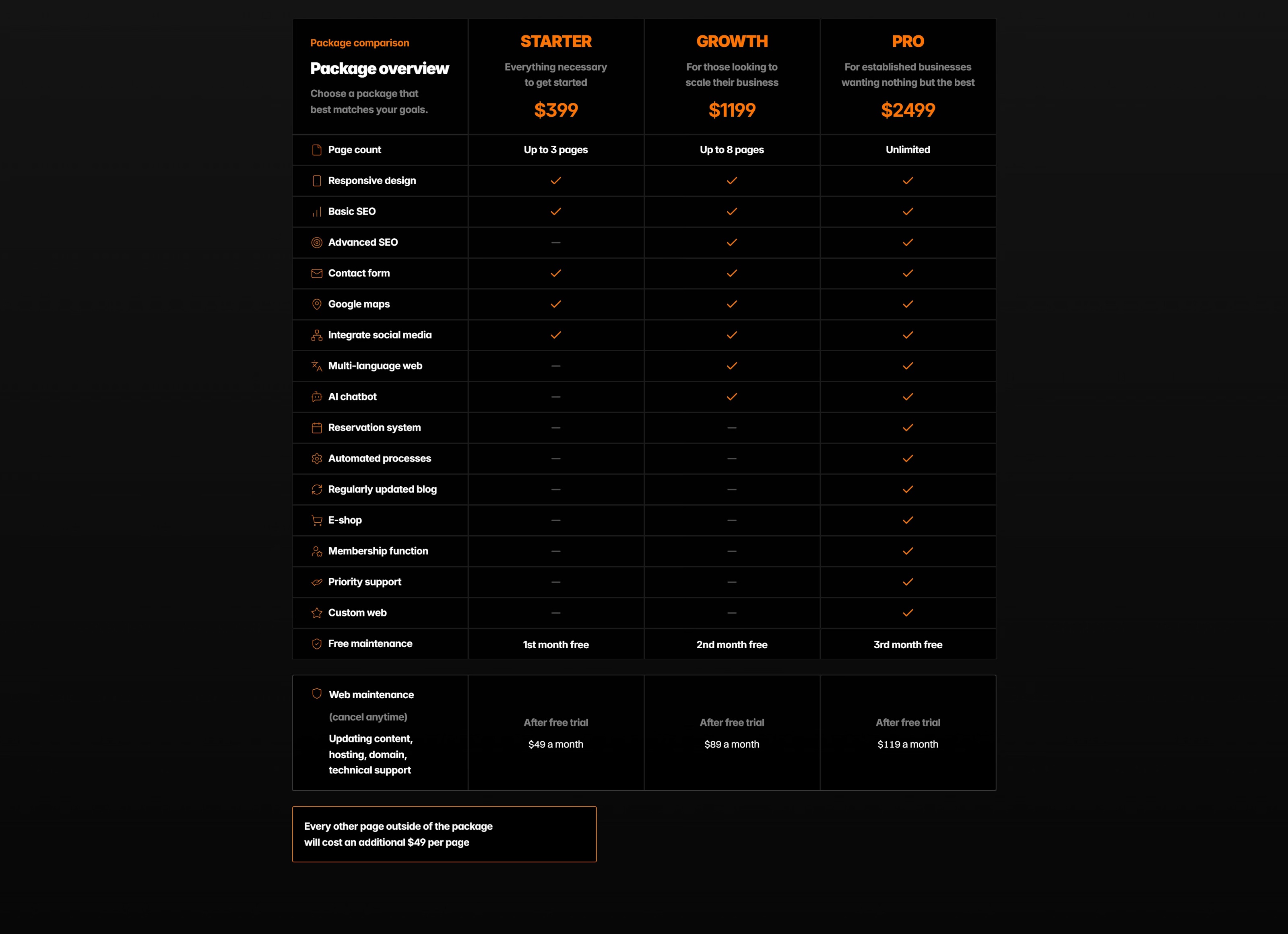
Tier — Comparison & Pricing Table
Description
Show your plans side by side without fighting the layout. Tiers is a drop-in comparison table with three pricing columns, built for SaaS landing pages, product launches, and agency sites that need to make "which plan?" an easy decision. Edit everything straight from Framer's properties panel — tier names, prices, feature rows, button labels, and colors — no code required. On mobile, the table scrolls sideways instead of cramming three columns into a narrow screen, so every tier stays legible. Key features: Three pricing tiers, with an optional highlighted "most popular" column Fully editable in the properties panel — names, prices, features, CTAs, and colors Mobile-responsive horizontal scroll (setup below) No code needed — customize visually in seconds Drops in as a complete section on any page Mobile setup note (worth including so buyers don't think it "breaks" on small screens): For mobile, place the component inside a Stack, set Overflow to Scroll, Width to Fill, and align it Left. The table then scrolls horizontally on small screens instead of squashing — keeping all three tiers fully readable.
Introduction
Tier — Comparison & Pricing Table
Rank history
Daily rank per list, from the first snapshot — lower is better.
- All · #8252