plugin
Wallble: Guest Book & Wall of Love
By Wallble
Details
- WallbleAuthor
- pluginType
- 2026-09-09Published
- 2026-09-09Updated
- 2026-09-09Added
- Forms, Integrations, MediaCategories
Summary
Guest book & Wall of Love
Description
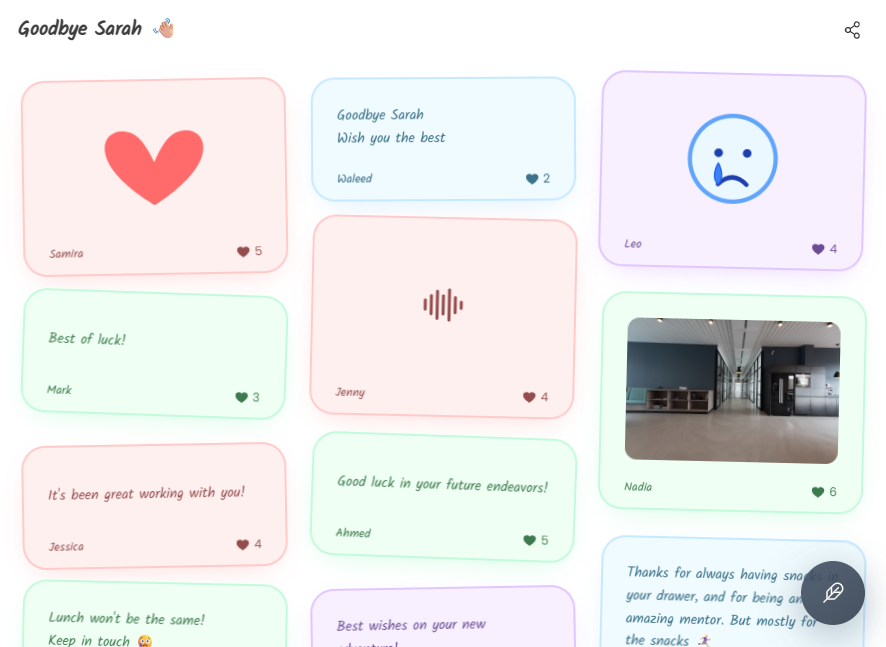
Wallble turns any Framer page into a guest book. Visitors leave a message, a photo, a voice note or a doodle, and it appears on your wall in real time. Enter your wall ID in the plugin, click Insert wall, and the plugin adds a Wallble component to your canvas. The wall ID stays editable in the properties panel, so you can point the same component at a different wall any time. Good for wedding sites, customer testimonials, launch pages, portfolios, community pages and more. How to use: 1. Create a wall at wallble.com and copy the part after wallble.com/ in your wall link. 2. Open the plugin, paste the wall ID and click Insert wall. 3. Resize the component on the canvas and publish. Free walls hold up to 10 posts. Premium walls are unlimited. This plugin embeds walls hosted by Wallble (wallble.com). Wall content loads in an iframe served by wallble.com and creating a wall requires a Wallble account. Support: https://www.wallble.com/support
Introduction
Guest book & Wall of Love
Rank history
Daily rank per list, from the first snapshot — lower is better.
- All · #622