component
Glassdrop Select
By Liubomyr Yurchyshyn
Details
- Liubomyr YurchyshynAuthor
- componentType
- $7.00Price
- 2026-07-26Published
- 2026-07-26Updated
- 2026-07-26Added
- FormsCategories
Summary
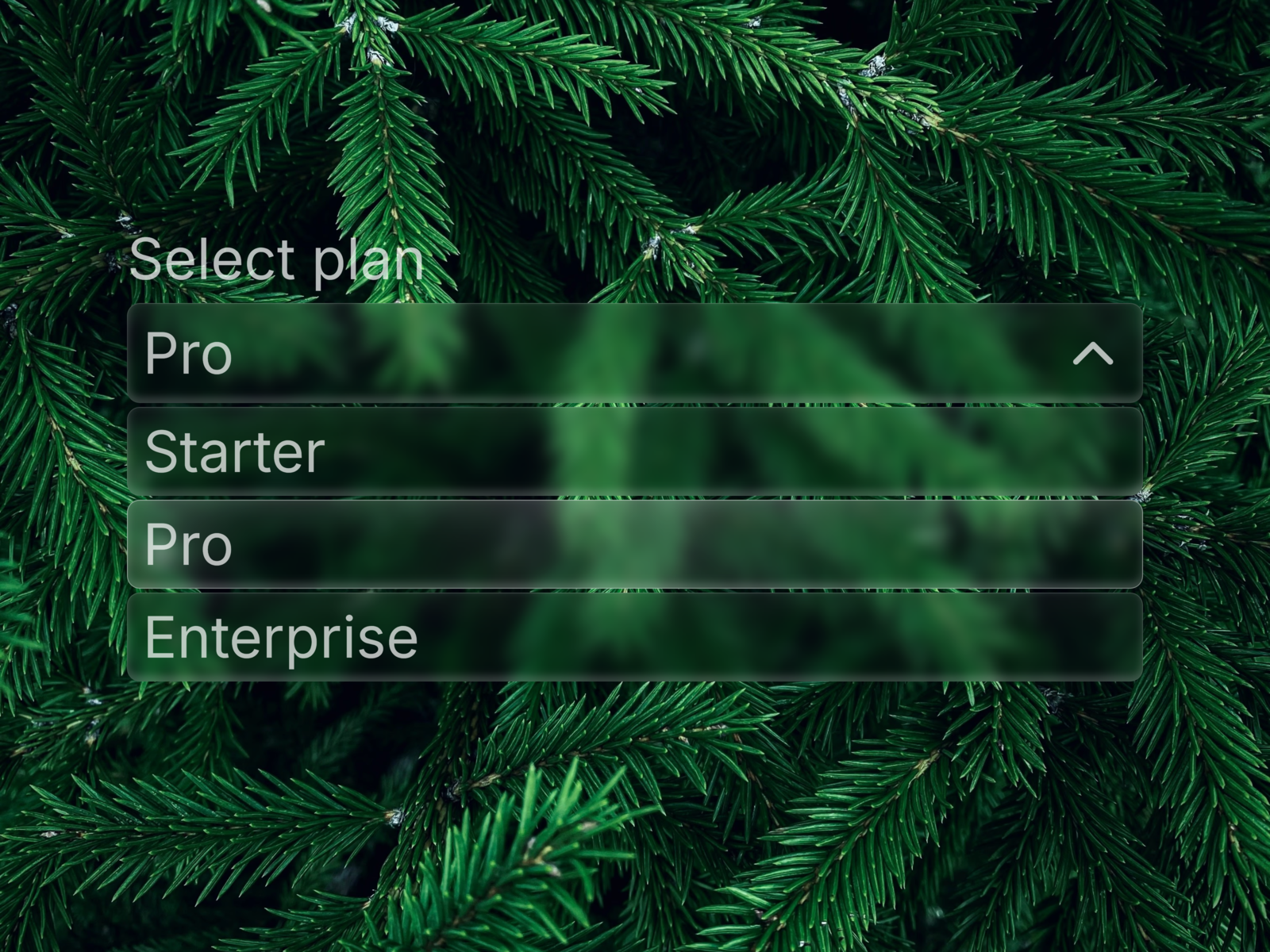
Glass select with magnetic glow
Description
✦ What's included A Liquid Glass Select / Dropdown component in the same visual system as Glassdrop Buttons and Cards — glass fill, backdrop blur, and the signature magnetic glow. Built as a native Framer Code Component, fully keyboard accessible and wired to submit correctly inside Framer's native forms. 🧩 Features Full keyboard navigation — Arrow keys, Enter, Space, Escape, Tab Real form submission — hidden native stays in sync, so Framer's form actions (email, Google Sheets) pick up the value automatically Drop-in replacement for a native select — same behavior, glass look Default option support — mark any option as pre-selected Staggered spring animation when the dropdown opens Focus-visible ring — clean keyboard-only outline ✦ Animations Same magnetic glow and shine as the rest of the Glassdrop system — radial glow follows the cursor, specular highlight, subtle moving shimmer. Opening the dropdown triggers a spring stagger across the options. 🎨 Customization Label, Options (label/value/default per row), Placeholder, Name, Required, Font, Color, Fill, Padding (trigger + options, independent) 🚀 How to use After purchase, copy the Component URL from your confirmation Paste it directly onto your Framer canvas — the component installs automatically Drop it inside any native Framer Form Edit label, options, and styling from the properties panel — no code needed Connect your form's submit action as usual — the selected value is included automatically ⚙ Requirements Framer, any plan. Native Code Component — behaves like a built-in Framer element. No plugins needed.
Introduction
Glass select with magnetic glow
Rank history
Daily rank per list, from the first snapshot — lower is better.
- All · #6446